Edit Your Ticket!
ALREADY REGISTERED? See instructions on how to edit your tickets here!
Already registered & want to add some add-ons to your registration?
Prefer video instruction? CLICK HERE
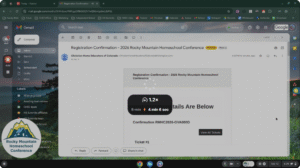
- Search for your confirmation email sent when you first registered. (The subject line is “Registration Confirmation – 2026 Rocky Mountain Homeschool Conference” from Christian Home Educators of Colorado (ChristianHomeEducatorsofColorado@ticketspice.com).
- Scroll to the bottom of the email and you’ll see the link to “Set Up Account Now” and click it.
- Add email address & password to claim your account.
- If you already have an account simply log in!
- Click on “Tickets” in the top blue navigation bar
- Find the order you want to edit and click “View Details”
- Click the green “Edit” button
- Make your desired changes.
- To add a ticket, scroll to the bottom of the current tickets and look for the green button that says “add ticket.” It will be right before Conference Extras/Conference Recordings.
- To add conference add-on’s you’ll need to find the person/ticket and click whichever activities you’d like updated. Just click on the boxes of the items you want to add and that will become active.
- Remember that we do not issue any refunds so if you try to cancel items off of your order it will give you an error message and you will not be able to proceed.
- Scroll down and click “Save”
- There may be a change in the fee value if you update your registration.
Please keep in mind that name badges are being printed on a regular basis so if you add an entire ticket/individual to your family pass we would sure appreciate you emailing registrationconf@chec.org to make sure we see this update.
A BIG THANK YOU to our 2026 Conference Sponsors